AI App Store & Google Play screenshot generator
Screenshots that make your app stand out.
Drop in raw screens, pick a style, and export a polished App Store & Google Play set — in minutes.
 Your raw screenshot
One upload. One click. A complete store-ready set.
AI writes the headlines, orders the story and lays out every slide — then you tweak anything you like.
Before · your raw screenshots
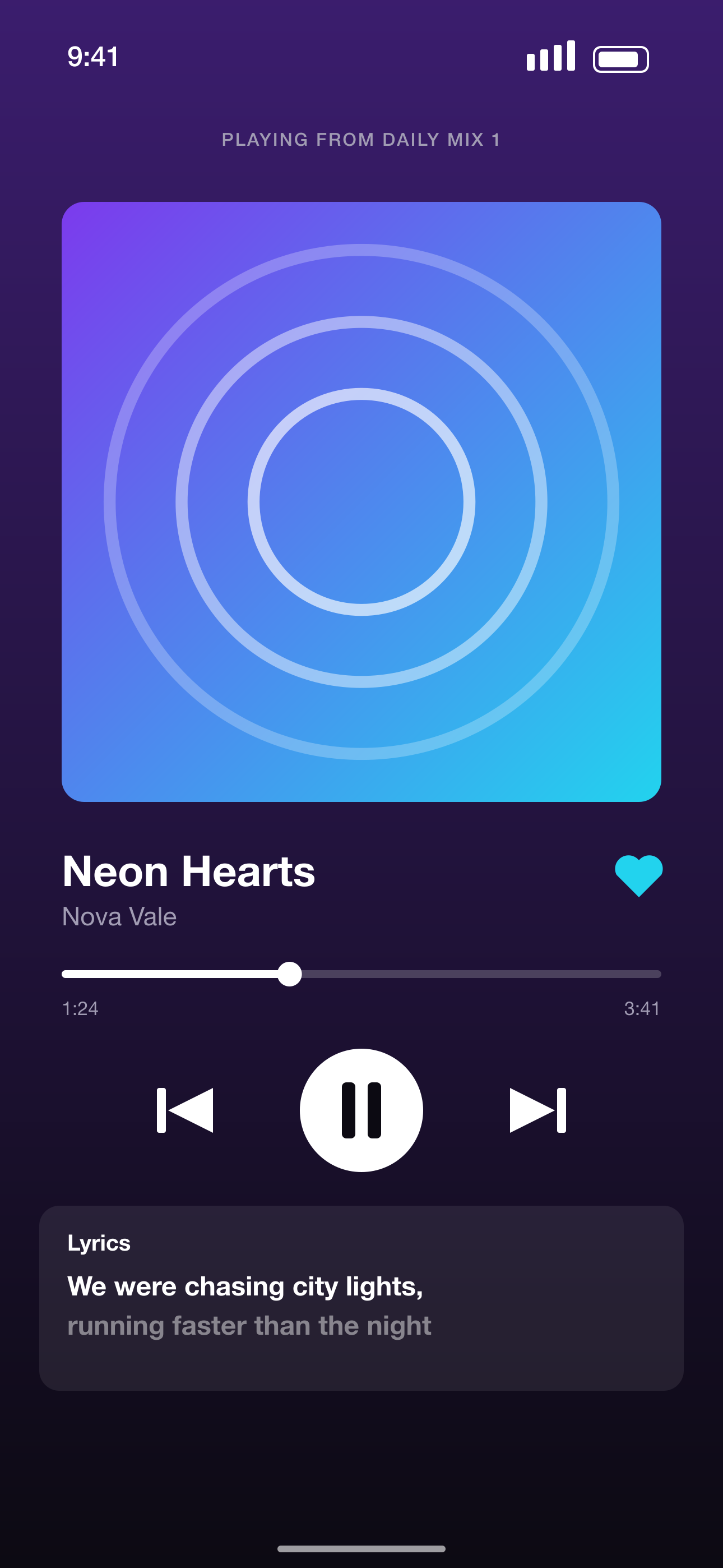
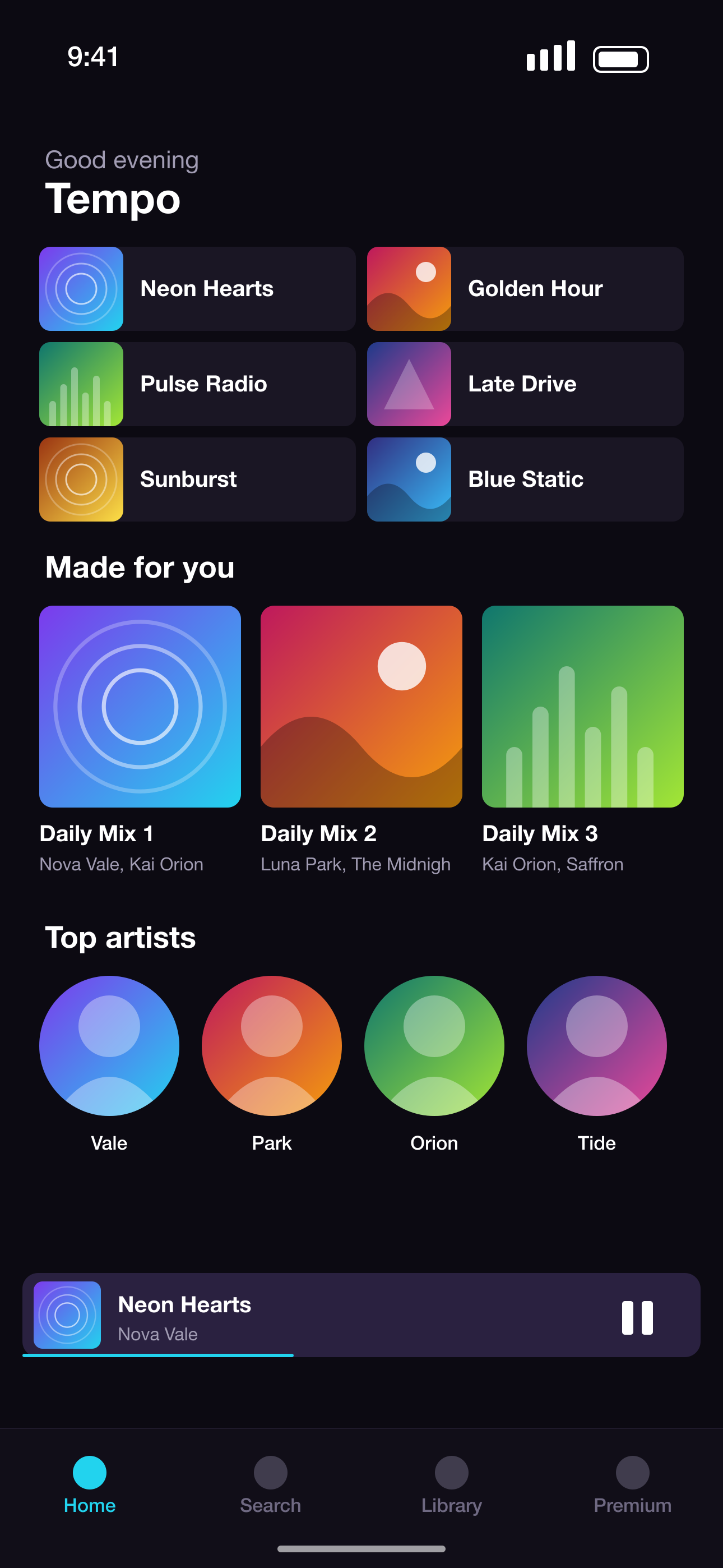
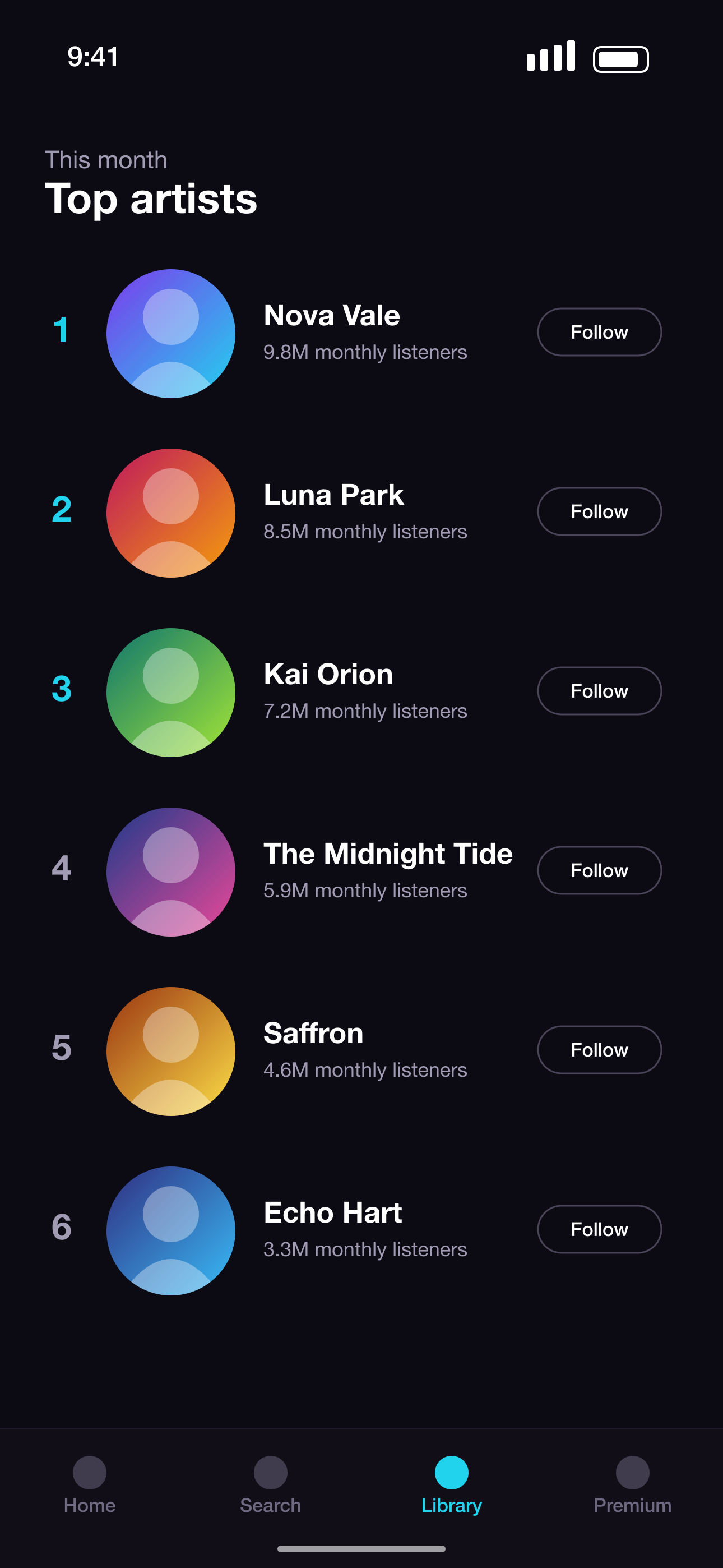
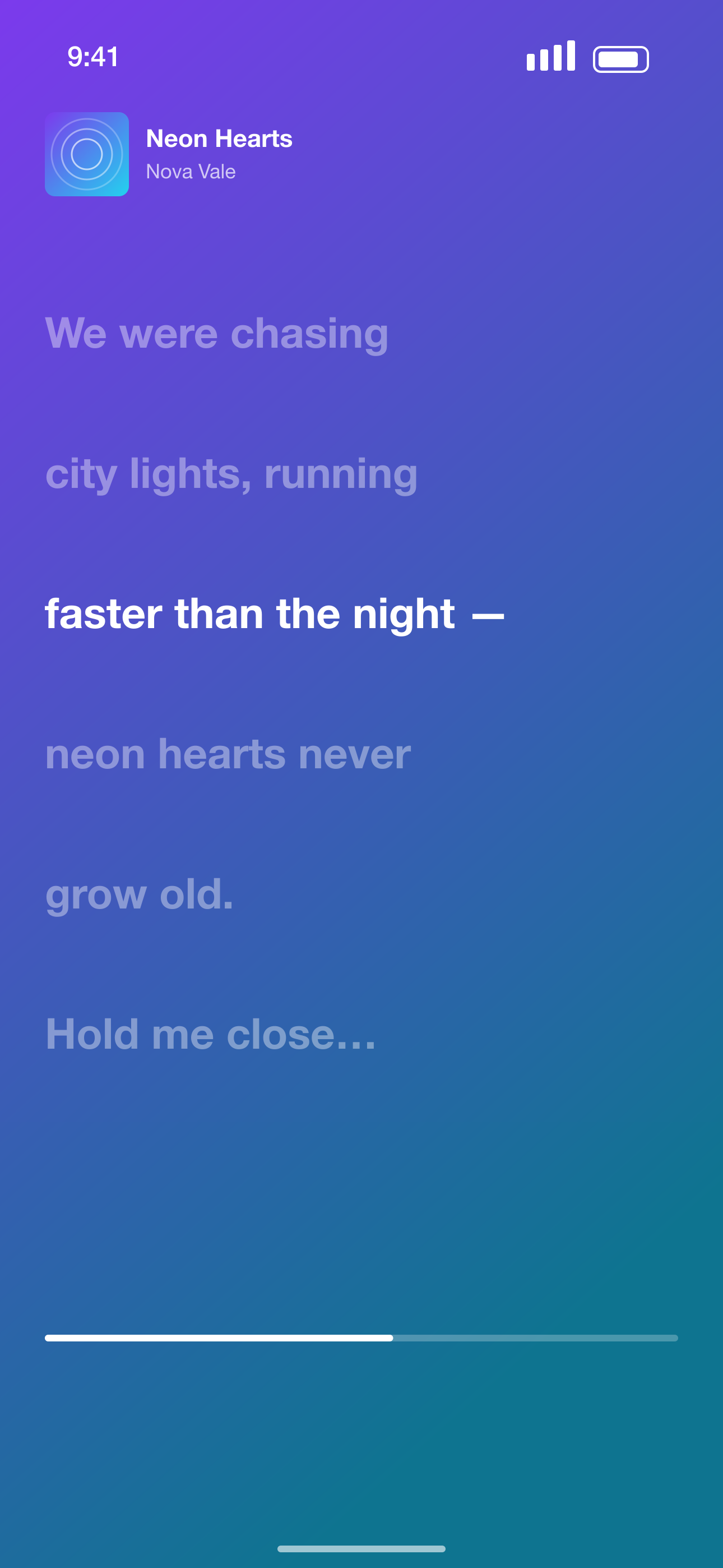
After · a complete store-ready set
Pick a look. Make it yours.
Every style works with every app — and you can mix them slide by slide. Previews render live in your browser.
App Store screenshot templates
A few of the layouts — each one works with any palette, any app and every device size.
How the App Store screenshot generator works
Upload
Drop 3–10 screenshots of your app.
Pick a style
Choose a template and palette — or let AI choose.
AI builds your set
AI writes the headlines, chooses the story order, and lays out each screen.
Export
Store-ready PNGs, zipped and ready to upload — every size and language with Pro.
An iOS & Google Play screenshot maker with a real editor
AI speed. Designer control.
Start with a professionally designed template, then change anything you want.
Unlike general design tools
Made only for store screenshots: real device frames, exact App Store & Google Play sizes, localization built in.
Unlike blank-canvas editors
Start from a professionally designed template in seconds — no design skills or hours of layout work.
Unlike one-shot ai generators
Real layouts, fonts and layers you can edit, not a flat image. Pixel-perfect, and your text stays yours.
Drop in raw screenshots
PNG or JPEG straight from the simulator or emulator. iPhone, iPad, Android phones and tablets.
AI writes the headlines
AI reads every screen and writes benefit-led copy, ordered so your best screen leads. Your screenshots are never used to train AI models.
Templates, not a blank canvas
45 code-generated layouts × 18 palettes. Use one for the whole set or mix them slide by slide.
Real device frames
iPhone, iPad, Android phone and tablet — black, white, blue or frameless, with a soft shadow.
A focused editor
Drag, resize, rotate, layers, snapping, undo, duplicate slides. Figma-lite, for screenshots only.
Localize in one click
Transcreated headlines for 28+ store locales that still fit the layout.
Every store, every size
App Store iPhone & iPad, Google Play phone & tablets. One click turns a set into the version for another device.
Store-ready exports
PNGs at the exact pixel sizes App Store Connect and Play Console require, organised by store, device and language.
One tool for every app store screenshot
Whether you need an iPhone screenshot generator for your next release, Play Store screenshots for Android, or ready-made templates — it's all the same editor.
For indie developers, agencies, and teams shipping apps
Simple pricing
Create your first set free. Upgrade when you're ready to ship more — monthly or annually, cancel any time.
Free
Launch your first app
Free forever
- 1 project per account
- Full screenshot set — every slide, up to 10
- All templates & device frames
- 3 AI generations / month
- Export your current design size
- Small “✦ Made with PitchPane” mark
Pro
Ship apps without limits
$59.99 billed annually — save 50%
- Unlimited projects
- Clean exports — no watermark
- Export every App Store & Google Play size
- 200 AI generations / month
- AI localization into 28+ languages
- Server-side batch rendering
- Direct upload to App Store & Google Play
- Priority support
No credit card requiredCancel anytime14-day refund policy
Questions, answered.
Everything you need to know before you start.
What is PitchPane?
A web app that turns your raw app screenshots into polished, localized marketing screenshots for the App Store and Google Play — with templates, device frames, AI-written headlines and a simple editor.
Which devices and stores are supported?
iPhone and iPad for the App Store, and Android phones and 7"/10" tablets for Google Play. Exports come out at the exact sizes each store requires, and one click creates a version of your set for another device.
How does the AI work?
When you ask it to, the AI reads your screenshots and writes a short, benefit-led headline and subtitle for each one, picks matching layouts and colours from our template library, and can put your strongest screen first. On Pro it also translates the whole set into 28+ App Store languages that still fit the layout. Everything it produces stays fully editable — it's a fast first draft, not a black box.
What do I get on the Free plan?
1 project per account, Full screenshot set — every slide, up to 10, All templates & device frames, 3 AI generations / month, Export your current design size, Small “✦ Made with PitchPane” mark. That's enough to design a full set and export it in your current design size (for example the 6.9" iPhone size Apple requires). Pro exports every App Store & Google Play size at once.
What's included in Pro?
Unlimited projects, Clean exports — no watermark, Export every App Store & Google Play size, 200 AI generations / month, AI localization into 28+ languages, Server-side batch rendering, Direct upload to App Store & Google Play, Priority support. It's built for shipping more than one app, or shipping your app to every store, size and language.
How much does it cost?
The Free plan costs nothing forever. Pro is $9.99/month, or $59.99/year when billed annually. The annual plan saves 50%. Prices may include or add VAT/sales tax depending on where you live.
Can I switch between monthly and yearly?
Yes — manage your subscription from the Billing page at any time. Switching to yearly is the cheapest way to keep Pro.
Can I use the exported screenshots commercially?
Yes. You own the screenshots you create with PitchPane and can use them for your App Store listing, Google Play listing, website, advertising and social media — on the Free and Pro plans. The templates, frames and stickers are licensed to you as part of your exports; just make sure you have the rights to your own screenshots and any logos in them.
Is my data private?
Yes. Your screenshots are kept in private storage locked to your account: other users can't see them and there are no public links. Our team doesn't browse your projects — we only access them to run features you use or when you ask us for help. Deleting a project deletes its uploaded screenshots too. We don't sell data or use ad or analytics trackers. Without an account, projects stay in your browser and are only sent out when you use an AI feature or server rendering.
Are my screenshots used to train AI?
No. Your screenshots are processed only to provide PitchPane's features and are never used to train AI models — not by us, and not by our AI provider. When you use an AI feature, reduced-size copies (up to 640 px wide) of the screenshots involved, plus the app name and description you entered, are sent to OpenAI's API to produce your result. We ask OpenAI not to store them; OpenAI may keep request data for up to 30 days solely for abuse monitoring, then deletes it.
Can I cancel any time?
Yes. Cancel from the Billing page and you keep Pro until the end of the period you've paid for. You won't be charged again.
Do you offer refunds?
You can request a refund within 14 days of a payment by emailing pitchpane.contact@gmail.com. We review every request individually and approve refunds at our discretion, so they aren't guaranteed. See our Terms for the details — your statutory consumer rights aren't affected.
Still have a question? Read our Terms and Privacy Policy, or email pitchpane.contact@gmail.com.
Need screenshots at scale?
Generate every size and locale from the same design. Perfect for agencies, teams, and automated release workflows — export for fastlane, or upload straight to the stores.
Talk to us about API access →View API example
Every design is structured data — one document renders every size and every language:
{
  "layers": [
    { "type": "text", "role": "headline",
      "text": { "en-US": "Take control of your money",
                "de-DE": "Behalte dein Geld im Griff" } },
    { "type": "device", "frame": "titanium-black",
      "assetId": "home" }
  ]
}
Your app deserves better screenshots.
Turn your raw app screens into store-ready creatives in minutes.
Create my screenshots →Free forever · No credit card required